
Stream Deck - OBS Studio Linux Plugin 2.0 v.5.5.4.2

Stream Deck - OBS Studio Linux Plugin 2.0 v.5.5.4.2 5.5.2.2b

LinuxGamesTV

New Member
LinuxGamesTV submitted a new resource:

Stream Deck - OBS Studio Linux Plugin 2.0 v.5.5.2.2 - Streamdeck Plugin for OBS Linux

You have a Streamdeck and you want use opendeck with the Elgato OBS Plugin from the Elgato Marketplace?

You get the circle of death with the Elgato OBS Plugin in opendeck?
Thats because the Stream Deck - OBS Studio Plugin 2.0 is missing in the OBS Studio Linux build.

This Plugin solve it. Now you can use the Elgato OBS Plugin in opendeck without the circle of death.
No Flatpak version yet

Testet only with 32.1.1

Read more about this resource...
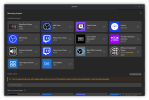
 
I've installed everything, and have OpenDeck set up. However, the plugin window for OBS says "SDNotConnected" when looking for the plugin via OpenDeck. This happens with the OBS plugin for both the native install and Flatpak versions of OBS. I have had OpenDeck launched first. Just wondering if there was something I'm missing. OpenDeck is the native install version for me.
 
I've installed everything, and have OpenDeck set up. However, the plugin window for OBS says "SDNotConnected" when looking for the plugin via OpenDeck. This happens with the OBS plugin for both the native install and Flatpak versions of OBS. I have had OpenDeck launched first. Just wondering if there was something I'm missing. OpenDeck is the native install version for me.
Do you have install the Elgato OBS Plugin in opendeck? You need the OBS Studio Plugin 2.2.4 from the Elgato Marketplace
 

Attachments

  • ElgatoOBSOpendeck.png
    ElgatoOBSOpendeck.png
    185.7 KB · Views: 69
I cannot get OBS Studio 32.1.2 (deb package) on Linux Mint 22.3 to see this plugin period. I've followed the instructions exactly, and verified that the libStreamDeckPlugin.so file exists in /usr/lib/obs-plugins, but the "Elgato Stream Deck" entry never shows up in the Tools menu nor in the Plugin Manager window. The OBS logs don't contain any mention of seeing or even attempting to load the plugin either. Any suggestions?
 
I cannot get OBS Studio 32.1.2 (deb package) on Linux Mint 22.3 to see this plugin period. I've followed the instructions exactly, and verified that the libStreamDeckPlugin.so file exists in /usr/lib/obs-plugins, but the "Elgato Stream Deck" entry never shows up in the Tools menu nor in the Plugin Manager window. The OBS logs don't contain any mention of seeing or even attempting to load the plugin either. Any suggestions?

I second this. Exactly the same experience.

I would have posted an Issue in Github, but Issues are disabled for some reason. Here's the issue report I wrote:
Title:
Flatpak extension fails to register/load automatically in OBS Studio Flatpak (SteamOS / Linux)

Description:
When installing com.obsproject.Studio.Plugin.StreamDeckOBSStudioLinuxPlugin via Flatpak alongside the main standard com.obsproject.Studio Flatpak, the plugin does not appear in OBS Studio's user interface (e.g., under Tools or Settings).
Other OBS plugins installed as Flatpak extensions on the same system register and function automatically without any manual intervention, suggesting an issue with how this extension's runtime files or paths are being exposed to/mounted by the main OBS Flatpak sandbox.

Steps to Reproduce
  1. Install OBS Studio via Flatpak (com.obsproject.Studio).
  2. Install this plugin via Flatpak (com.obsproject.Studio.Plugin.StreamDeckOBSStudioLinuxPlugin).
  3. Launch OBS Studio.
  4. Check the menus (Tools / Settings) for the Stream Deck integration. The plugin features are missing.

Observed Behavior
  • The extension is successfully installed to the system runtime path: /var/lib/flatpak/runtime/com.obsproject.Studio.Plugin.StreamDeckOBSStudioLinuxPlugin/x86_64/5.5.4.2/active/files/
  • Inside the extension's files, the binary is located at lib/obs-plugins/libStreamDeckPlugin.so and UI assets are at share/obs/obs-plugins/libStreamDeckPlugin/.
  • OBS Studio fails to discover or load these paths automatically out of the box.

Environment & Metadata
  • OS: SteamOS / Linux
  • OBS Flatpak ID: com.obsproject.Studio
  • Plugin Flatpak ID: com.obsproject.Studio.Plugin.StreamDeckOBSStudioLinuxPlugin
  • Plugin Metadata Info (flatpak info -m):
    [Runtime]
    name=com.obsproject.Studio.Plugin.StreamDeckOBSStudioLinuxPlugin
    sdk=org.freedesktop.Sdk/x86_64/25.08

    [ExtensionOf]
    ref=app/com.obsproject.Studio/x86_64/stable
    runtime=org.freedesktop.Platform/x86_64/25.08

    [Build]
    built-extensions=com.obsproject.Studio.Plugin.StreamDeckOBSStudioLinuxPlugin.Sources;
 
Back
Top